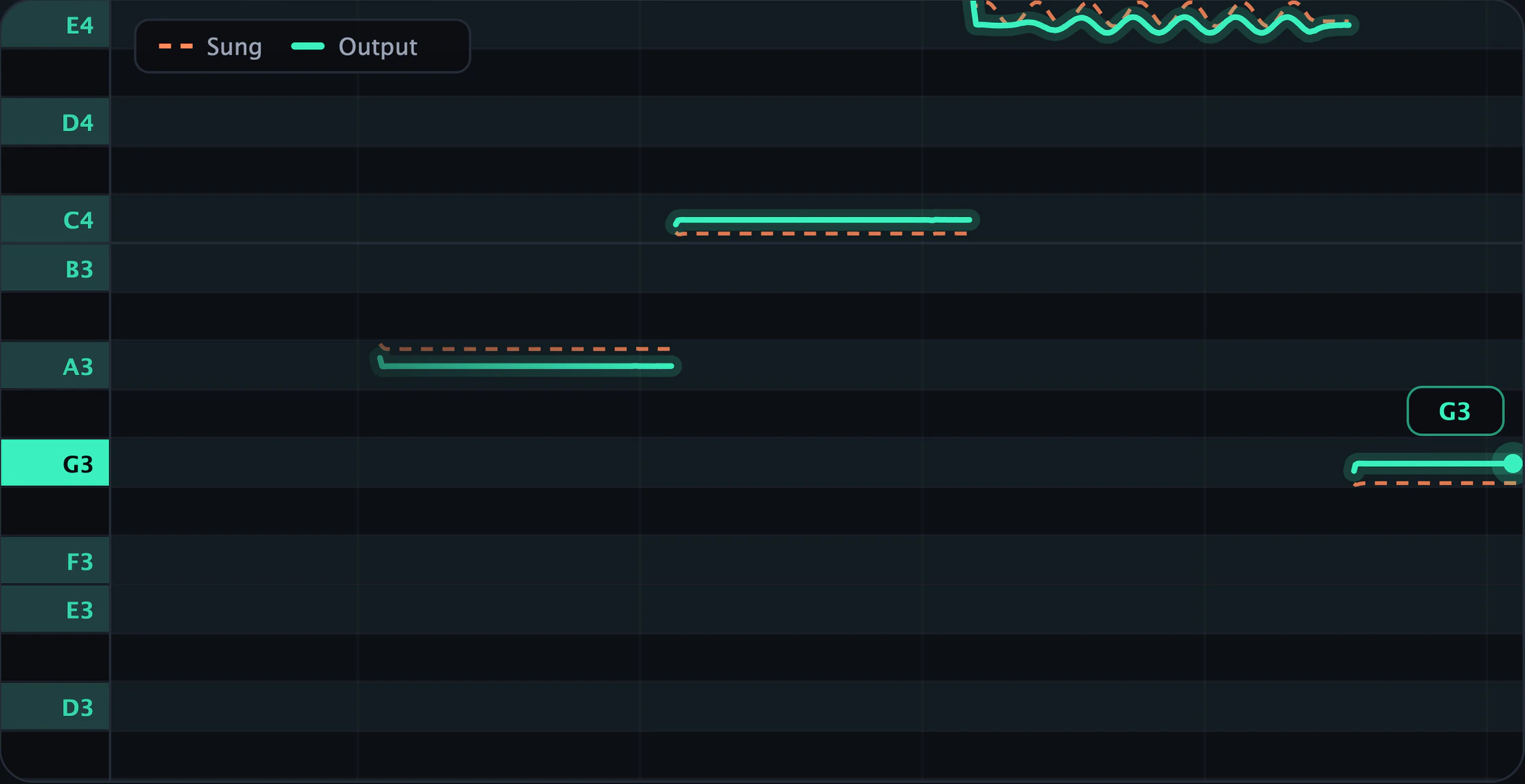
The pitch graph.
Draws both lines as you sing: dashed coral for your voice, solid teal for the output. Scroll to move through the range; double-click to follow the singer again.
SnapTune 1.2 for Mac and Windows
A pitch correction plugin that snaps your voice to the key with 2.7 ms of delay, so you hear it tuned while you record.
Mac: VST3 and Audio Unit · macOS 11 or later · Apple silicon and Intel · Windows: VST3 · Windows 10 or later, 64-bit · Tested in FL Studio
A synthesized singer, off-key on purpose, over chords in C major.
SnapTune's own engine, ported line by line from the plugin's C++ and running in your browser. Turn the knobs while it plays.
See what it's doing
Every part of SnapTune speaks the same two colours, so you can tell at a glance whether it grabbed the right note.
Draws both lines as you sing: dashed coral for your voice, solid teal for the output. Scroll to move through the range; double-click to follow the singer again.
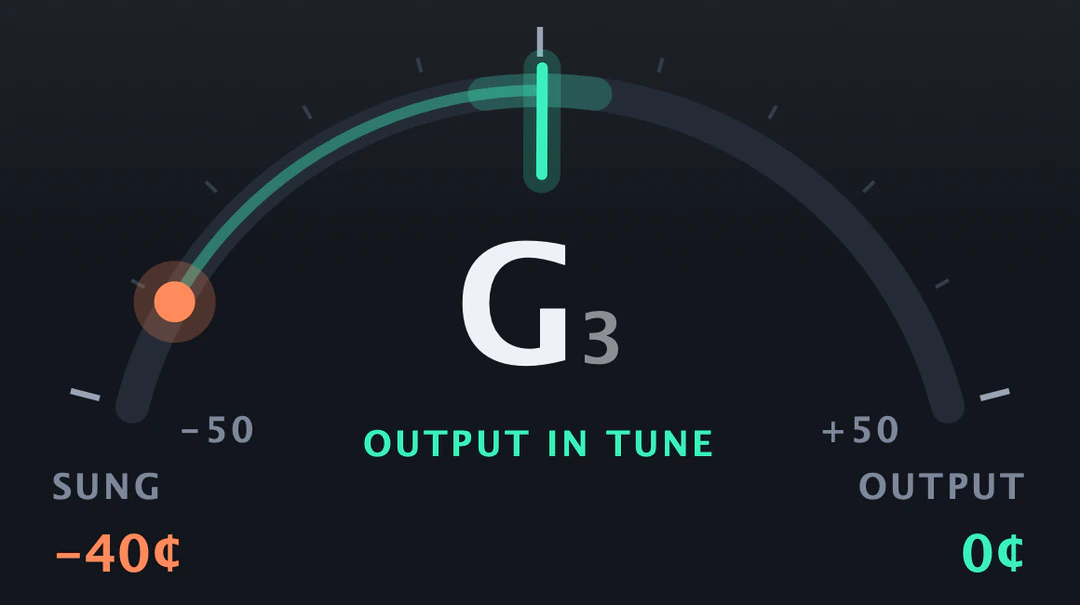
You sang −40¢ flat. What comes out is 0¢. Readable from across the room.
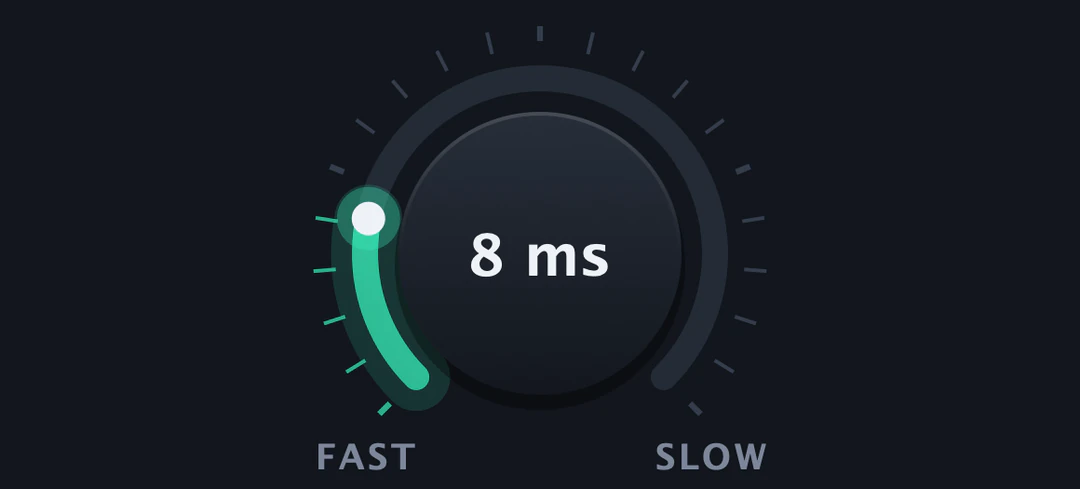
All the way to 0 ms is the robotic stair-step. Turn it up and your slides and vibrato come back.
Lit notes are allowed. Click one to switch it off and the voice will never land there.

Two modes
Switch any time. SnapTune tells your DAW the new delay.
2.7 ms
of delay
46 ms
compensated by your DAW
Either mode uses under 1 % CPU on a MacBook Pro M5.
Quick start
The presets only touch the correction knobs. Key, scale and voice are up to you.
MIDI notes
Hold a note on a MIDI track and SnapTune tunes the vocal to that note, in any octave, instead of the nearest one in the scale. Let go and it goes back to the scale.
Install
An installer puts everything in place. The system asks once before opening it, and I'm working on getting rid of that.
Step 1
Open the installer
It installs the VST3, the Audio Unit and a standalone app.
Step 2
Let macOS open it
macOS blocks it the first time. Click Done, then System Settings › Privacy & Security › Open Anyway. On macOS 14 or earlier, right-click it and choose Open.
Step 3
Restart your DAW and rescan
Quit it completely first. In FL Studio: Options › Manage plugins › Find installed plugins.
SnapTune-1.2.0-Windows-Setup.exe
Step 1
Run the installer
It installs the VST3 in Common Files\VST3, plus a standalone app.
Step 2
Get past SmartScreen
If Windows says it protected your PC, click More info › Run anyway.
Step 3
Restart your DAW and rescan
Close it completely first. In FL Studio: Options › Manage plugins › Find installed plugins.
Rather copy the files yourself? Each release also has a zip with an INSTALL.txt.
macOS asks you to click Open Anyway because SnapTune isn't notarized by Apple. Notarizing needs an Apple Developer membership, which costs $99 a year. Once that's covered, the installer opens like any other Mac app.
Chip in on Ko-fiYes. It's open source under the AGPL-3.0 license. No trial, no watermark, no account.
It needs the vocal on its own track. On a full mix or a beat it can't find a single pitch to follow. If the voice is breathy or the room is echoey, raise Tracking. For deep voices, set Voice to Low Male.
That's the missing Apple notarization, not a broken file. Click Done, then go to System Settings › Privacy & Security and click Open Anyway (on macOS 14 or earlier, right-click the installer and choose Open). Installed the zip by hand instead? INSTALL.txt inside it has the one Terminal command you need.
That's SmartScreen: the installer isn't code-signed yet. Click More info, then Run anyway.
It's tested in FL Studio, and every build passes Apple's own Audio Unit validation. Other DAWs that load VST3 or AU should work, but I haven't tried each one. If yours gives you trouble, open an issue and say which DAW and version.
No. Auto-Tune Pro costs hundreds of dollars or a monthly subscription; SnapTune is free and has no connection to Antares, who own the Auto-Tune trademark. It uses published techniques: YIN pitch detection and pitch-synchronous grain resynthesis. The README explains how each part works.